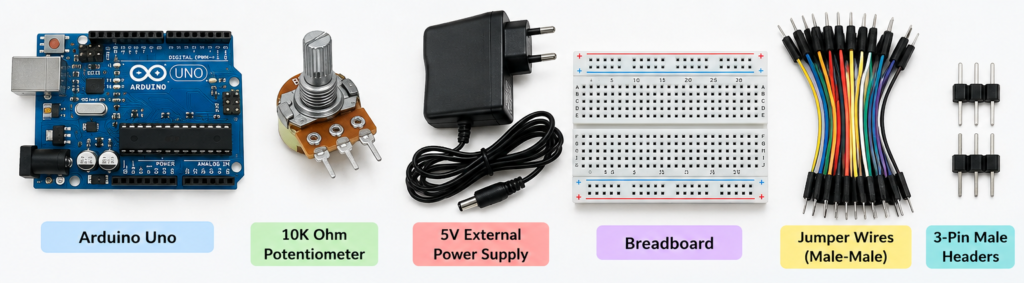
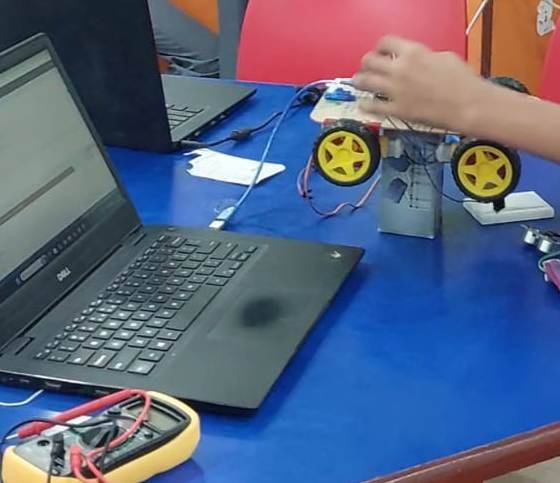
An Obstacle Avoidance Car is a simple robotics project that can detect obstacles in front of the vehicle and automatically change its direction to avoid collisions. It is an excellent beginner-level project for learning Arduino, sensors, motors, and robotics.
The car uses an HC-SR04 ultrasonic sensor to measure the distance between the car and an obstacle. When an obstacle is detected within a preset distance, the Arduino stops the car and changes its direction.
Main components:
- Arduino Uno
- HW-130 L293D Motor Shield
- 4 DC geared motors
- HC-SR04 ultrasonic sensor
- SG90 servo motor
- Robot car chassis and wheels
- Battery pack
- Jumper wires
How It Works
The HC-SR04 ultrasonic sensor sends ultrasonic waves and measures the time taken for the echo to return. Arduino calculates the distance from this time.
- Distance > 25 cm: Car moves forward.
- Distance ≤ 25 cm: Car stops.
- The servo can rotate the ultrasonic sensor to check different directions.
- Arduino compares the available space and commands the motors to turn.
Code
Before pasting the code add Adafruit Motor Shield library to your arduino IDE.
#include <AFMotor_R4.h>
#include <Servo.h>

// =====================================================
// 4 DC MOTORS
// =====================================================

AF_DCMotor motorLF(1);   // M1 - Left Front
AF_DCMotor motorLR(2);   // M2 - Left Rear
AF_DCMotor motorRF(3);   // M3 - Right Front
AF_DCMotor motorRR(4);   // M4 - Right Rear


// =====================================================
// SERVO
// =====================================================

Servo scanner;

const int servoPin = 9;


// =====================================================
// HC-SR04
// =====================================================

const int trigPin = 12;
const int echoPin = 13;


// =====================================================
// SETTINGS
// =====================================================

const int motorSpeed = 200;
const int obstacleDistance = 25;


// =====================================================
// DISTANCE VARIABLES
// =====================================================

int distanceFront;
int distanceLeft;
int distanceRight;


// =====================================================
// SETUP
// =====================================================

void setup() {

  Serial.begin(9600);

  // Ultrasonic
  pinMode(trigPin, OUTPUT);
  pinMode(echoPin, INPUT);

  // Servo
  scanner.attach(servoPin);
  scanner.write(90);

  // Motor speed
  setMotorSpeed(motorSpeed);

  // Stop initially
  stopRobot();

  delay(1000);

  Serial.println("4 Wheel Obstacle Avoiding Robot");
}


// =====================================================
// MAIN LOOP
// =====================================================

void loop() {

  // ---------------------------------------------------
  // LOOK FORWARD
  // ---------------------------------------------------

  scanner.write(90);
  delay(200);

  distanceFront = getDistance();

  Serial.print("Front: ");
  Serial.print(distanceFront);
  Serial.println(" cm");


  // ---------------------------------------------------
  // PATH CLEAR
  // ---------------------------------------------------

  if (distanceFront > obstacleDistance) {

    moveForward();

  }


  // ---------------------------------------------------
  // OBSTACLE DETECTED
  // ---------------------------------------------------

  else {

    stopRobot();
    delay(300);

    Serial.println("Obstacle detected!");

    // -------------------------------------------------
    // LOOK LEFT
    // -------------------------------------------------

    scanner.write(150);
    delay(500);

    distanceLeft = getDistance();

    Serial.print("Left: ");
    Serial.print(distanceLeft);
    Serial.println(" cm");


    // -------------------------------------------------
    // LOOK RIGHT
    // -------------------------------------------------

    scanner.write(30);
    delay(500);

    distanceRight = getDistance();

    Serial.print("Right: ");
    Serial.print(distanceRight);
    Serial.println(" cm");


    // Return servo to center
    scanner.write(90);
    delay(300);


    // -------------------------------------------------
    // CHOOSE DIRECTION
    // -------------------------------------------------

    if (distanceLeft > distanceRight) {

      Serial.println("Turning LEFT");

      turnLeft();
      delay(500);

    }

    else {

      Serial.println("Turning RIGHT");

      turnRight();
      delay(500);
    }


    stopRobot();
    delay(200);
  }
}


// =====================================================
// ULTRASONIC DISTANCE
// =====================================================

int getDistance() {

  digitalWrite(trigPin, LOW);
  delayMicroseconds(2);

  digitalWrite(trigPin, HIGH);
  delayMicroseconds(10);

  digitalWrite(trigPin, LOW);

  long duration = pulseIn(echoPin, HIGH, 30000);


  // No echo received
  if (duration == 0) {

    return 400;
  }


  int distance = duration * 0.034 / 2;

  return distance;
}


// =====================================================
// SET SPEED FOR ALL 4 MOTORS
// =====================================================

void setMotorSpeed(int speedValue) {

  motorLF.setSpeed(speedValue);
  motorLR.setSpeed(speedValue);
  motorRF.setSpeed(speedValue);
  motorRR.setSpeed(speedValue);
}


// =====================================================
// FORWARD
// =====================================================

void moveForward() {

  motorLF.run(FORWARD);
  motorLR.run(FORWARD);

  motorRF.run(FORWARD);
  motorRR.run(FORWARD);

  setMotorSpeed(motorSpeed);
}


// =====================================================
// BACKWARD
// =====================================================

void moveBackward() {

  motorLF.run(BACKWARD);
  motorLR.run(BACKWARD);

  motorRF.run(BACKWARD);
  motorRR.run(BACKWARD);

  setMotorSpeed(motorSpeed);
}


// =====================================================
// TURN LEFT
// =====================================================

void turnLeft() {

  // Left side backward
  motorLF.run(FORWARD);
  motorLR.run(BACKWARD);

  // Right side forward
  motorRF.run(BACKWARD);
  motorRR.run(FORWARD);

  setMotorSpeed(motorSpeed);
}


// =====================================================
// TURN RIGHT
// =====================================================

void turnRight() {

  // Left side forward
  motorLF.run(FORWARD);
  motorLR.run(BACKWARD);

  // Right side backward
  motorRF.run(BACKWARD);
  motorRR.run(FORWARD);

  setMotorSpeed(motorSpeed);
}


// =====================================================
// STOP
// =====================================================

void stopRobot() {

  motorLF.run(RELEASE);
  motorLR.run(RELEASE);

  motorRF.run(RELEASE);
  motorRR.run(RELEASE);
}
Connections:
1. DC Motors → HW-130 Motor Shield
Connect the four motors to the four motor outputs:
| Motor | Shield terminal |
|---|---|
| Front Left | M1 |
| Rear Left | M2 |
| Front Right | M3 |
| Rear Right | M4 |
If a motor rotates in the opposite direction from what you expect, simply reverse its two wires.
2. HC-SR04 → Arduino Uno
Because the motor shield sits on the Arduino, connect the ultrasonic sensor to the available Arduino pins.
| HC-SR04 | Arduino Uno |
|---|---|
| VCC | 5V |
| GND | GND |
| TRIG | D12 |
| ECHO | D13 |
3. SG90 Servo → Motor Shield Servo Connector
Connect:
| SG90 wire | Shield servo header |
|---|---|
| Brown/Black | GND |
| Red | +5V |
| Orange/Yellow | Signal |
Applications
Obstacle-avoiding robots demonstrate concepts used in:
- Autonomous vehicles
- Warehouse robots
- Delivery robots
- Smart mobility systems
- Educational robotics
- Automated navigation systems
Future Improvements
The project can be further developed by adding an LCD display, battery monitoring, or multiple ultrasonic sensors.